 Hisab Pagar

Key points
- Use one row per worker, one column per date and a visible code legend.
- Count P, A and H separately, then calculate paid days using the agreed rules.
- Keep dated copies and backups; move to an app when spreadsheet work grows.
A monthly attendance sheet is one of the simplest ways to track who worked, who was away and what salary is due. For a small shop, a paper register or an Excel sheet may be enough. The key is to use the same codes every day, keep the totals visible and make a safe copy before you start the next month.
What a monthly attendance sheet needs
Keep one row for each worker and one column for each date in the month. Add the worker’s name, joining date and normal weekly off before the day columns. At the right, leave room for code totals, present days, paid days, remarks and a signature if you use one. Put a short legend at the bottom or on a second tab so another person can read the sheet without guessing.
Use a small set of codes and do not change their meaning halfway through a month:
| Code | Meaning | How to count it |
|---|---|---|
| P | Present for a full day | One present day |
| A | Absent without paid leave | Not a paid day |
| H | Half day worked | Half a present day |
| PL | Approved paid leave | Paid leave day |
| UL | Unpaid leave | Not a paid day |
| HO | Shop or factory holiday | Record it clearly; whether it is paid depends on the worker’s pay terms and applicable rules |
| WO | Scheduled weekly off | Record it clearly; treatment depends on the pay terms and applicable rules |
Write the joining date so days before someone started do not get mistaken for absences. Write each person’s weekly off as well; not every worker has the same one. A remarks column can explain a changed shift, a correction or a disputed entry. If the worker signs the monthly total, leave space for it. A signature does not replace a clear calculation, but it helps both sides confirm what they reviewed.
A six-day sample layout
This small sample uses three invented workers and dates 1–6 of a month. The weekly-off column shows the normal schedule; Kabir’s Friday off falls on day 5. Totals on the right count the marks in the six displayed date cells. “Present” is P plus half of H. For this example, “Paid days” adds PL, HO and WO to present days; check each worker’s terms before using that rule in a real payroll.
Sample workshop · six dates · illustrative entries only
| Name | Joined | Weekly off | 1 | 2 | 3 | 4 | 5 | 6 | P | A | H | PL | UL | HO | WO | Present | Paid days | Remarks / signature |
|---|---|---|---|---|---|---|---|---|---|---|---|---|---|---|---|---|---|---|
| Asha | 1st | Sunday | P | P | H | PL | UL | P | 3 | 0 | 1 | 1 | 1 | 0 | 0 | 3.5 | 4.5 | Checked |
| Imran | 1st | Sunday | P | A | P | P | HO | P | 4 | 1 | 0 | 0 | 0 | 1 | 0 | 4 | 5 | Holiday noted |
| Kabir | 1st | Friday | P | P | H | P | WO | P | 4 | 0 | 1 | 0 | 0 | 0 | 1 | 4.5 | 5.5 | Checked |
Freeze the name columns in a spreadsheet. On paper, print in landscape and use one sheet per month.
Simple Excel or Google Sheets formulas
Assume a worker’s six daily entries are in cells D2:I2 and the totals go in the columns after them. For a full month, extend the range through the last date column, such as AH for a 31-day month. Use the same cell range for each code total so inserting or copying a row does not silently change the formula.
These formulas count full-day presence, absence and half-day marks separately. Add similar COUNTIF formulas for PL, UL, HO and WO if you want a complete code summary. The displayed sample totals should match the marks in the six date cells: Asha has 3 P and 1 H; Imran has 4 P and 1 HO; Kabir has 4 P, 1 H and 1 WO.
Present days are not always the same as paid days. For monthly salary, paid leave and any paid weekly off or holiday should be counted according to the person’s terms and the rules that apply. For this sample, Asha has 3.5 present days plus one paid leave day, Imran has four present days plus one paid holiday, and Kabir has 4.5 present days plus one weekly off.
This assumes 27 paid days under the agreed method. Check how the worker’s terms treat leave, weekly offs and holidays. Use one divisor consistently.
Download the free CSV template
Download the free attendance register CSV template; it opens in Excel and Google Sheets. Save a fresh, dated copy each month, then add staff names, joining dates and weekly offs. CSV files do not preserve formulas or multiple tabs, so add formulas after opening it if you need automatic totals.
Common mistakes that make a sheet unreliable
- Overwriting last month’s sheet. Save a new dated file so earlier attendance remains available.
- No backup. Keep a second copy in a separate safe place and check that it opens.
- No edit history. Keep a correction note or restrict who can change attendance totals.
- Broken formulas after inserting rows. Check formulas and totals at month end; protect formula cells if others edit the file.
- Forgotten half days and late marks. Set a consistent way to record H, lateness and overtime.
- A sheet that does not work at the counter. Small cells and sideways scrolling on a phone can cause missed entries; paper may be easier for a tiny team.
When a sheet is enough, and when an app helps
A spreadsheet may be enough with fewer than five staff, one location and an owner who enters or checks every mark. It is flexible and easy to print. Keep its codes and formulas simple enough to inspect.
An app may help when you need daily phone entry, automatic salary and slips, advance tracking or a backup. These features save repeat work as a team grows. Changing tools alone will not fix an unclear attendance routine.
The register in Hisab Pagar
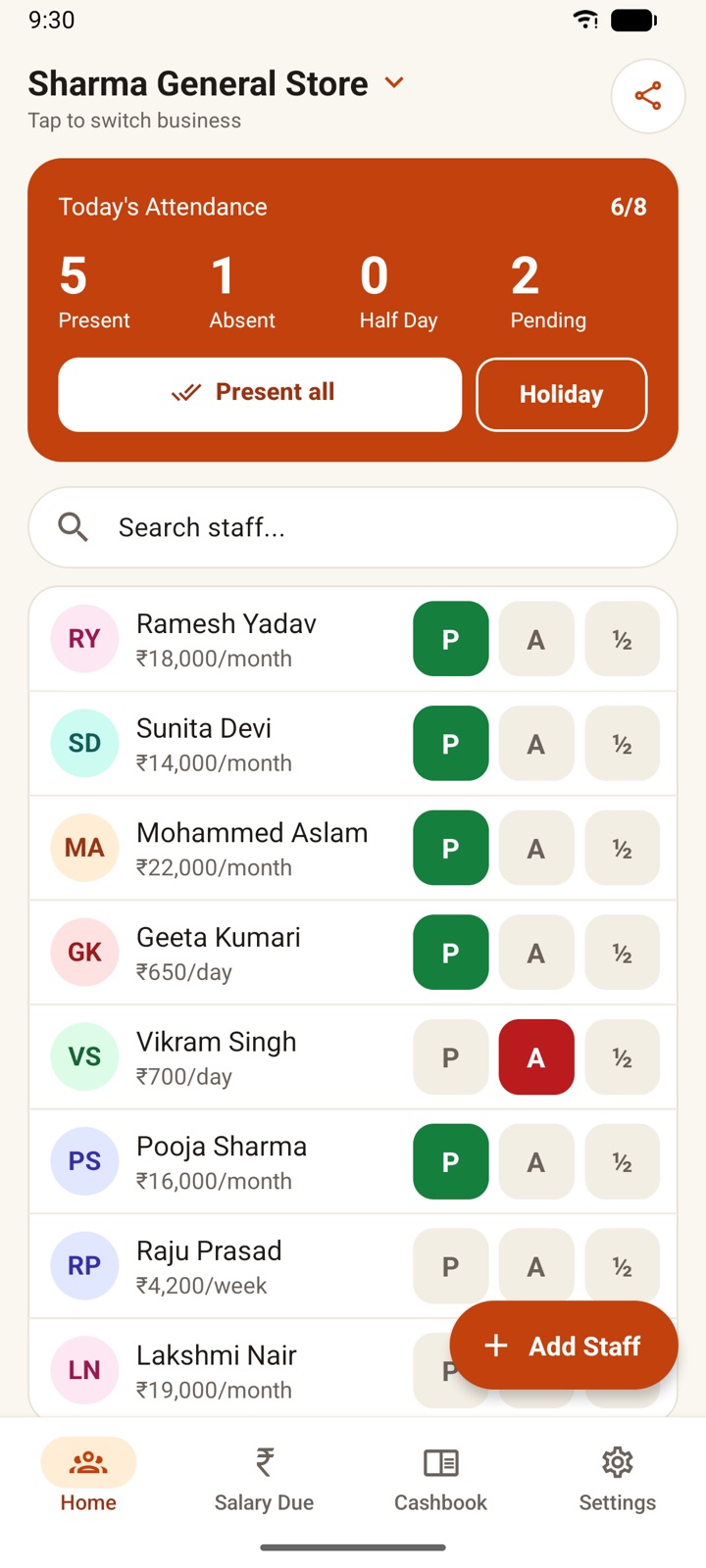
Hisab Pagar keeps the same register layout, and its monthly register PDF uses these exact codes: P, A, H, PL, UL, HO and WO. You can review and print the month in a familiar table, then export attendance as a backup file. That gives you a copy of the records alongside the app, so you can keep the months together and check them later.
Frequently asked questions
What codes should I use in a staff attendance sheet?
Use a short fixed legend such as P for present, A for absent, H for half day, PL for paid leave, UL for unpaid leave, HO for a holiday and WO for weekly off. Put the legend where anyone who checks the sheet can see it.
How do I count half days in Excel?
Count H marks with COUNTIF, then calculate present days as the P total plus half of the H total. Keep paid leave, holidays and weekly offs in separate totals so your paid-day rule is clear.
Can I use the same attendance sheet for monthly and daily-paid workers?
You can record attendance in the same layout, but the pay calculation may differ by pay arrangement. Keep rates and the treatment of weekly offs, holidays and leave clear for each worker before calculating wages.
When should a small shop move from Excel to an app?
Consider an app when daily phone entry, automatic salary slips, advance tracking or a reliable backup would save repeated work. If one owner can easily manage a small team in one place, a sheet may still be enough.