 Hisab Pagar
Everything Hisab Pagar does for your staff register
Hisab Pagar is a free staff attendance and salary app for shops, factories, workshops and contractors in India. Mark haziri once a day and it works out each person’s pagar, keeps advances and payments straight, and makes salary slips and the monthly register as PDFs. It runs on Android phones and, new, on Windows, Mac and Linux computers.
- Free, no subscription
- No sign-up
- Works offline
- 10 Indian languages
- Android · Windows · macOS · Linux
Attendance (haziri)
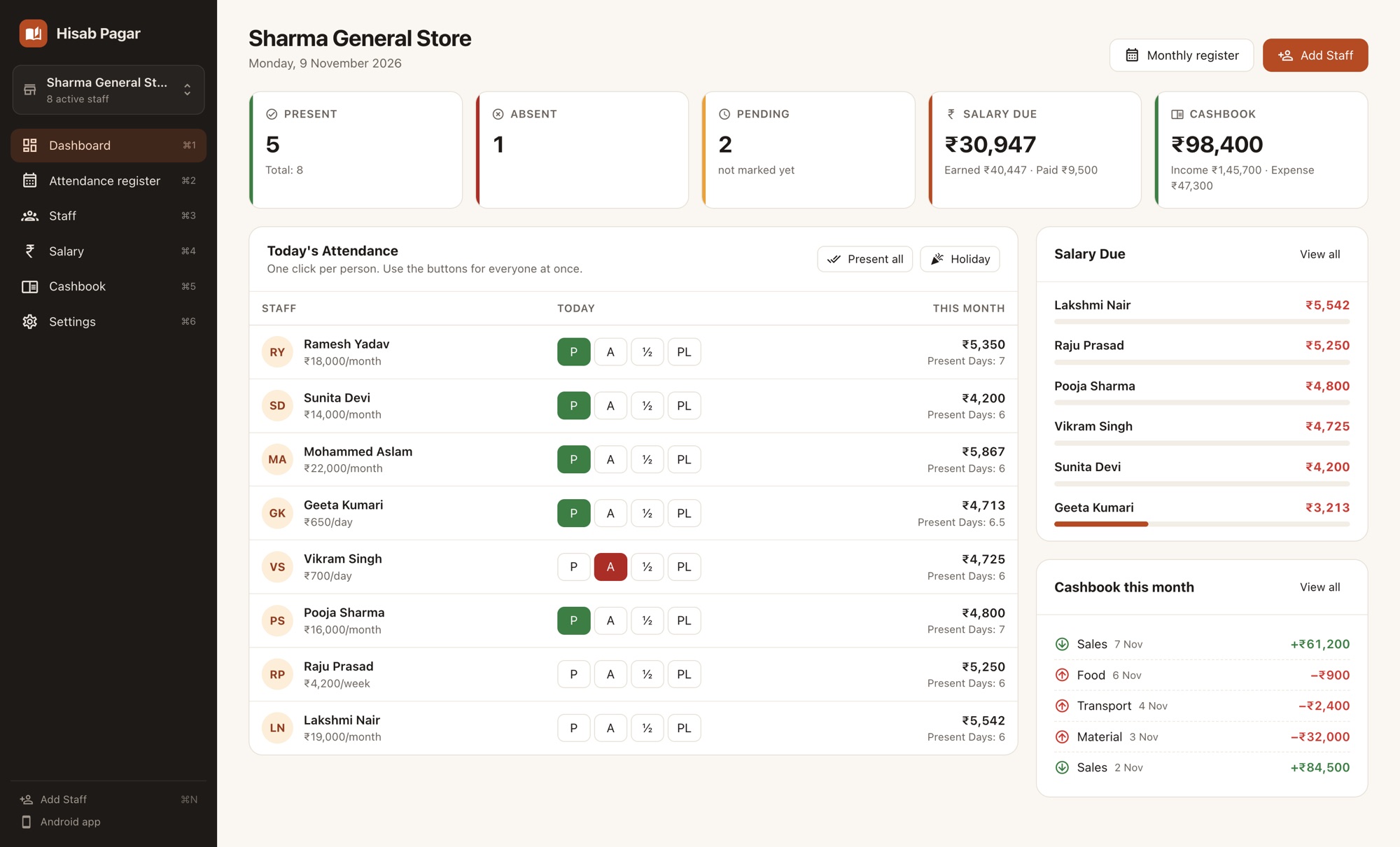
The home screen is today’s register: every active staff member with buttons next to their name. Most days take less than a minute.
One tap per person
Tap P for present, A for absent or ½ for half day. The day’s count of present, absent and pending updates as you go.
Seven statuses
P Present, A Absent, H Half day, PL Paid leave, UL Unpaid leave, HO Holiday and WO Week off.
Present all & Holiday
On a normal day mark everyone present at once, then change the one or two who are off. On a festival, mark a holiday for all.
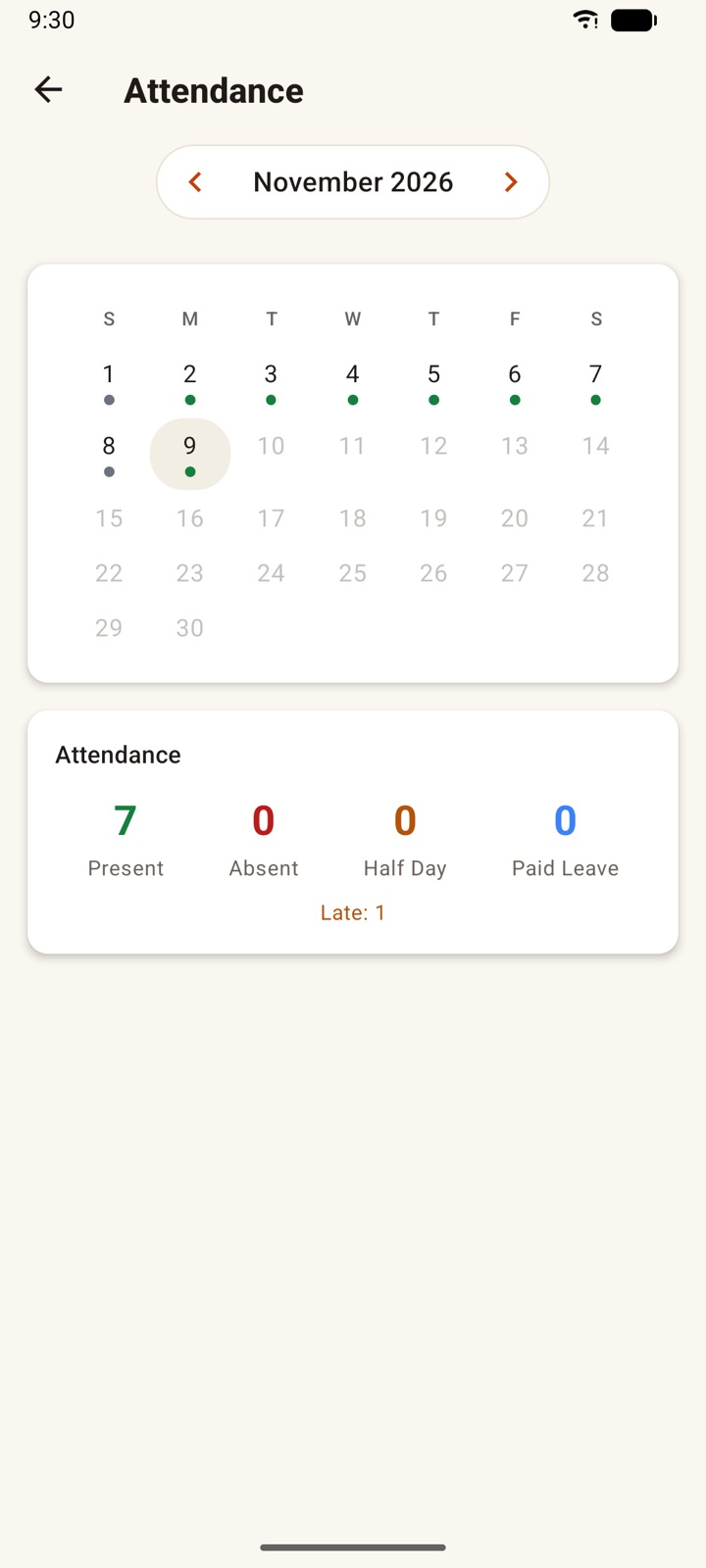
Monthly calendar
Open any staff member to see their whole month as a calendar and fix a past day.
Late, overtime and notes
Flag a late arrival, add overtime hours, enter hours worked for hourly staff, or write a note on any day.
Weekly offs and joining date
Pick one or more weekly off days per person. Days before the joining date are never counted against anyone.
Salary & payments
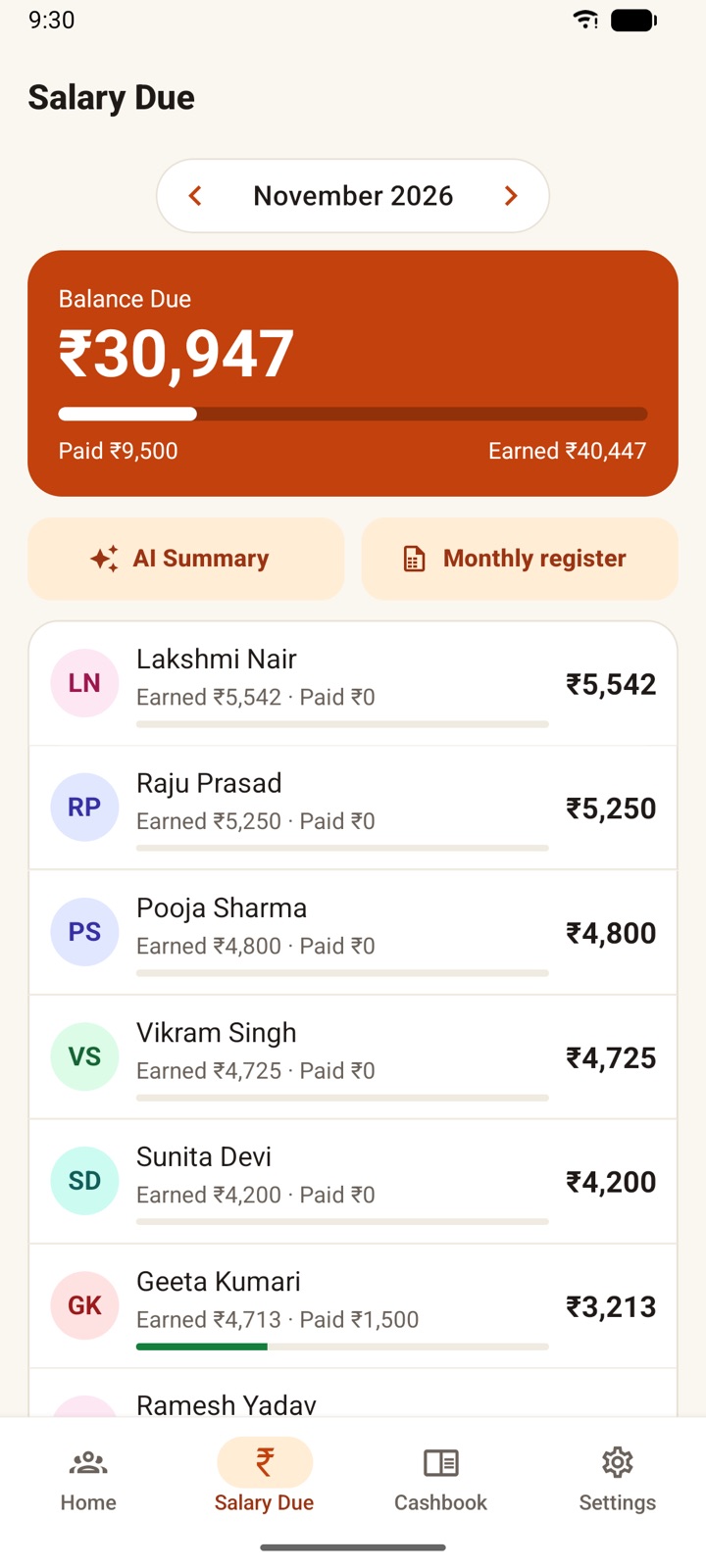
Salary is worked out from the attendance you mark, so the Salary Due screen is always up to date.
Monthly, daily, weekly or hourly pay
Set each person’s pay type and amount. Hourly staff have a shift length, so a present day counts as that many hours unless you enter the actual hours.
Automatic salary
Monthly pay is divided by the days in the month and multiplied by paid days. Half days count as half; paid leave, holidays and week offs are paid.
Overtime rate
Enter an overtime rate per hour, or leave it empty and the app uses 1.5 times the person’s worked-out hourly rate.
Late fine
Set a fine per late day. It is deducted only for the days you mark the person late.
Payments and advances
Record salary, advance, bonus or penalty, paid by cash, UPI or bank transfer, with a date and note. Penalties reduce what was earned.
Balance due, at a glance
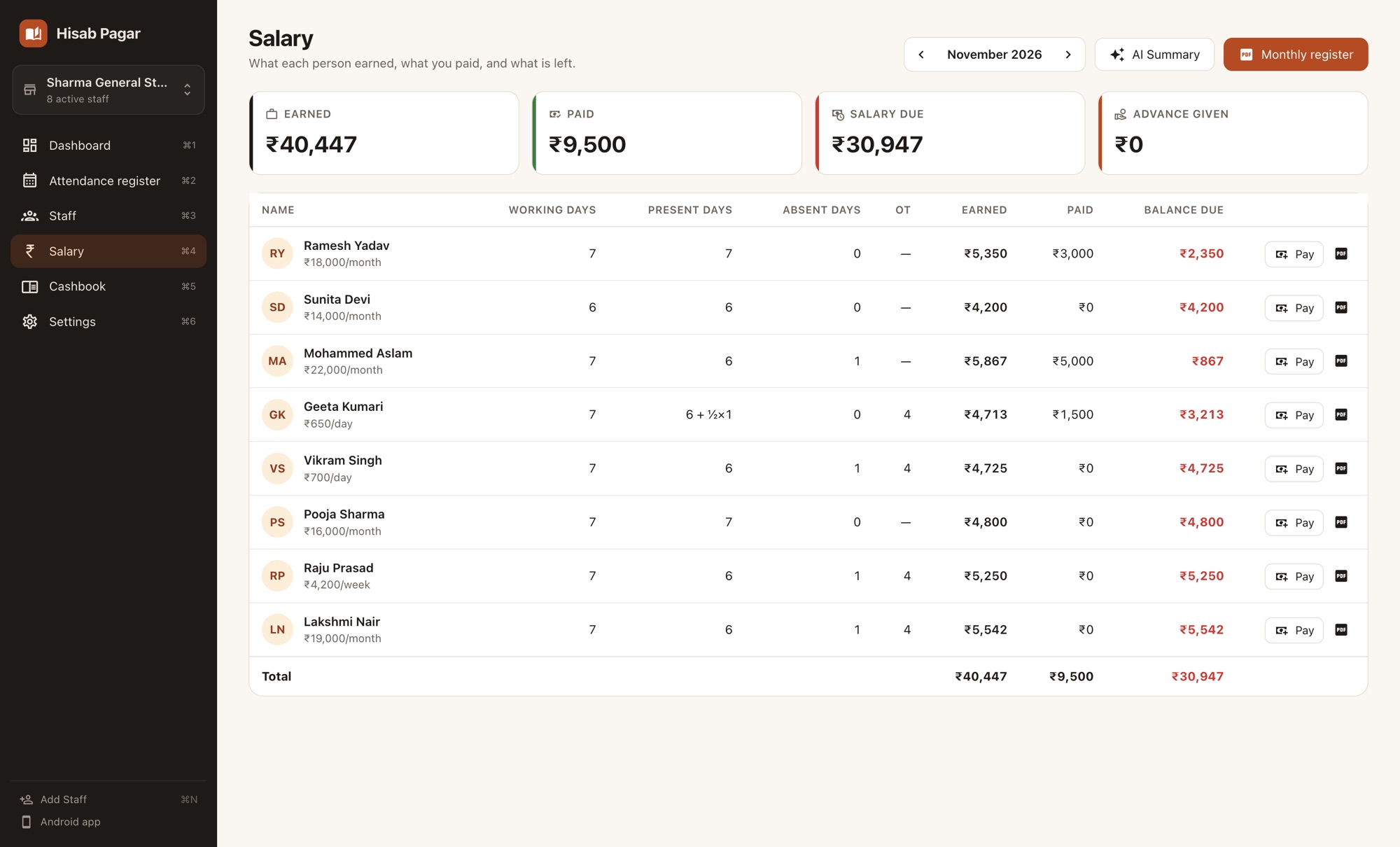
See earned, paid and balance for everyone, month by month. If more was paid than earned, the balance shows as an advance.
Want the maths? Read how to calculate salary from attendance and overtime and late fine calculation.
Reports & sharing
Salary slip PDF
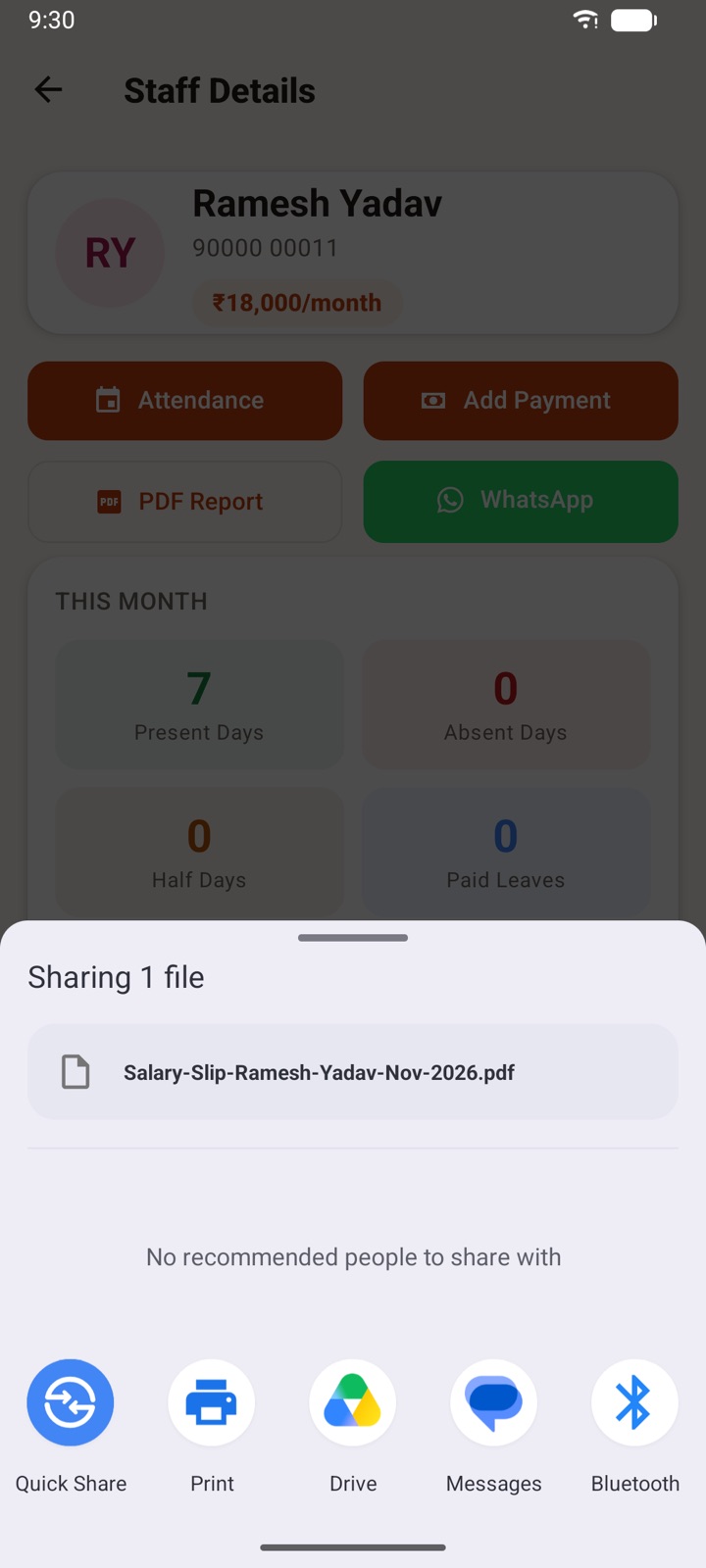
A one-page slip per person per month: attendance summary, earned salary, salary paid, advances, bonus, penalties, late fine, and the balance due.
Send on WhatsApp
On the phone, share the slip straight to WhatsApp. On a computer, the slip is saved and the staff member’s WhatsApp chat opens so you can attach it.
Monthly register PDF
A landscape A4 muster roll for everyone (a column per day, coded P, A, H, PL, UL, HO, WO) followed by the salary register with earned, paid and balance.
AI monthly summary
A short written summary of the month’s attendance and wage bill. It needs internet and is generated from your figures, so check important numbers.
See what a salary slip should include and the attendance register format.
Cashbook (hisab kitab)
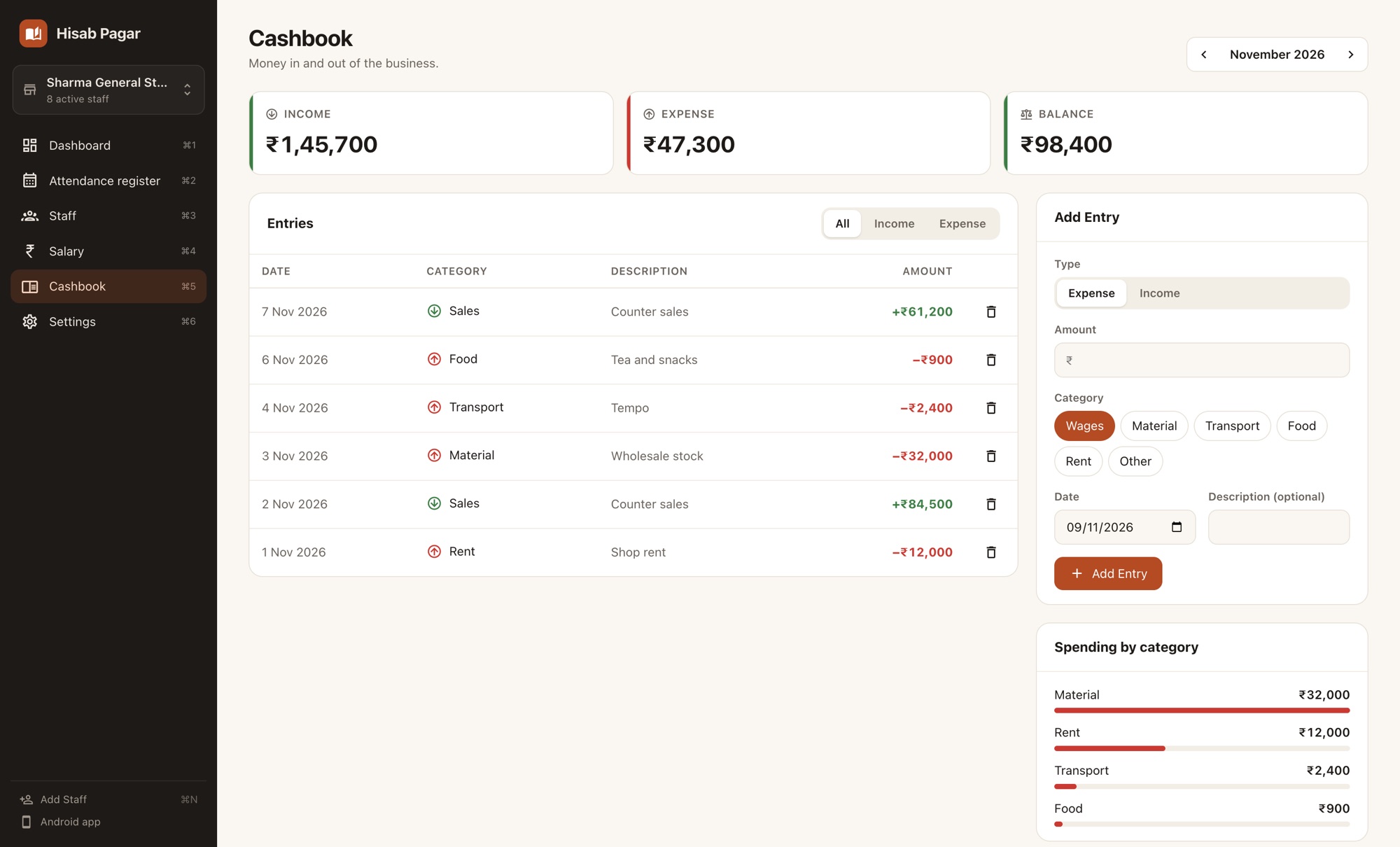
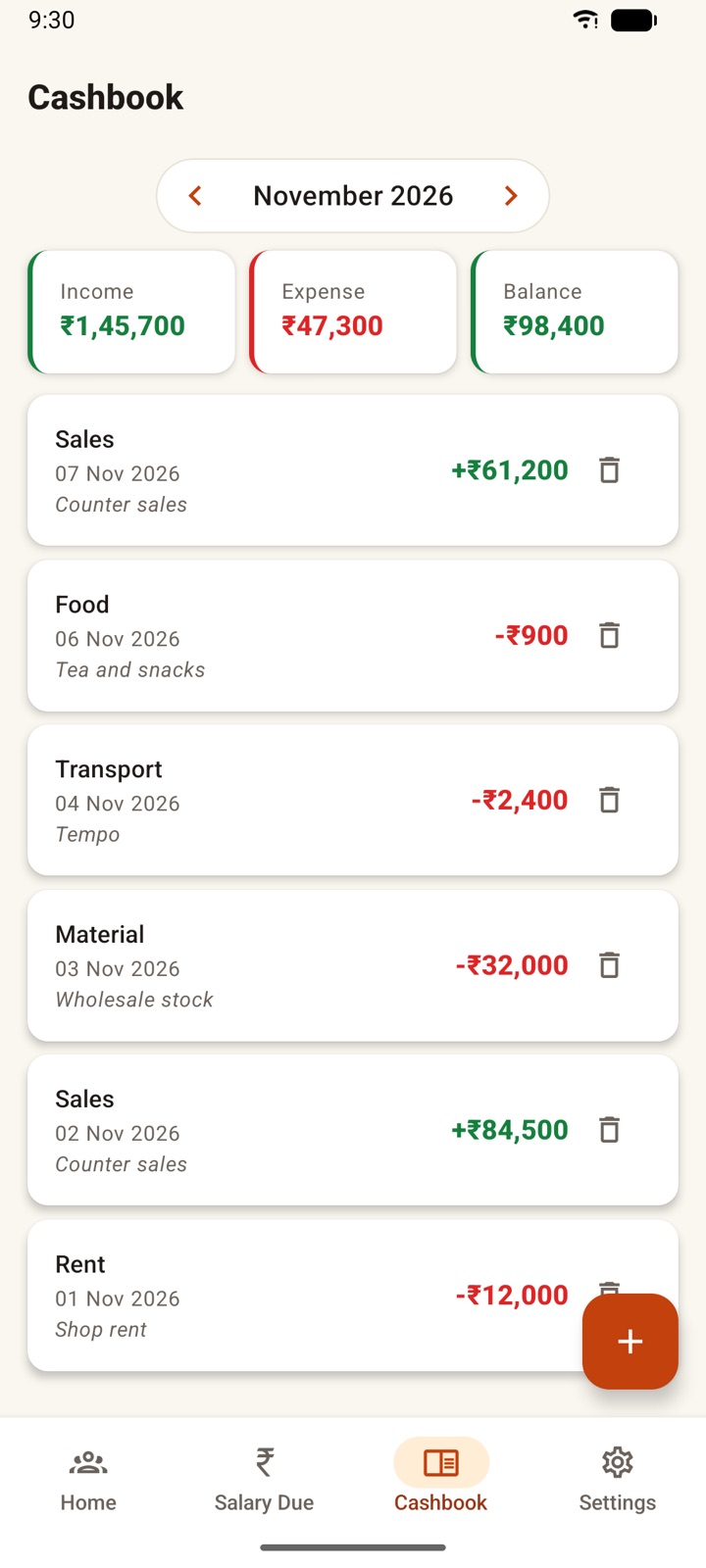
Income and expenses
Add money in and money out with a date, amount and optional description.
Categories
Expenses: wages, material, transport, food, rent, other. Income: sales, payment received, other income.
Monthly totals
Income, expense and balance for each month. The desktop app also shows spending by category.
Reminders
Daily attendance reminder
Pick a time and get a reminder every day to mark attendance. It names your staff, for example “Did Ramesh come to work today?”
On the computer too
The desktop app shows a desktop notification at the time you choose, while Hisab Pagar is open.
Backup & privacy
No account, no sign-up
Open the app and start. Your staff, attendance and salary records are stored on your device, not on our servers.
Automatic Google Drive backup
Connect your Google account and new entries are backed up to your own Drive, in a private folder only this app can see. Sign in on a new phone or computer to restore.
Backup file
Export everything to a file you can keep on WhatsApp, email or a pen drive, and import it on another phone or computer.
Details are in the privacy policy.
Languages & everyday comforts
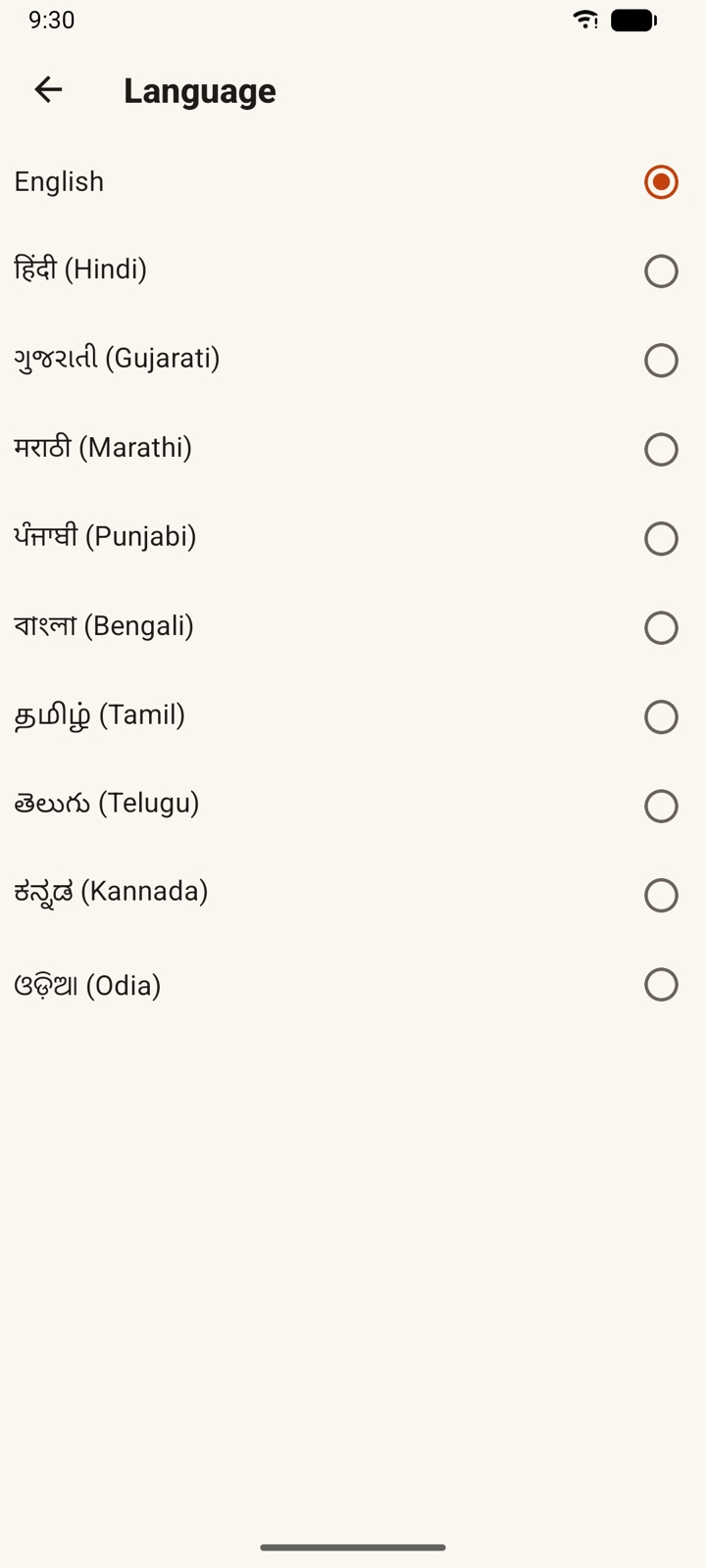
Use the app in English, हिंदी (Hindi), ગુજરાતી (Gujarati), मराठी (Marathi), ਪੰਜਾਬੀ (Punjabi), বাংলা (Bengali), தமிழ் (Tamil), తెలుగు (Telugu), ಕನ್ನಡ (Kannada) or ଓଡ଼ିଆ (Odia), and switch any time in Settings.
Multiple businesses
Run two shops or a shop and a site? Each business has its own staff, payments and cashbook.
Dark mode
Light, dark, or the same as your phone or computer.
Staff who left
Mark someone inactive to hide them from the daily list while keeping their records and any money still owed.
Desktop app for Windows, Mac and Linux
The same Hisab Pagar, laid out for a big screen and a keyboard. Useful if you sit at a counter or office computer, or do the month-end salary on a laptop.
Dashboard
Today’s attendance with one click per person, plus tiles for present, absent, pending, salary due and cashbook balance.
Month-at-a-glance register
Staff down the side, days across the top. Click a box, or select it and press P A H L. Click a day’s heading to mark everyone.
Staff table
Every staff member in one table, with a side panel for details, payments and slips.
Salary table
Earned, advances, paid and balance for the whole month, with totals at the bottom.
PDFs on your computer
Salary slips and the monthly register are saved as PDF files you can print or send.
Phone to computer
Connect the same Google account to bring your records over from Google Drive, or move a backup file.
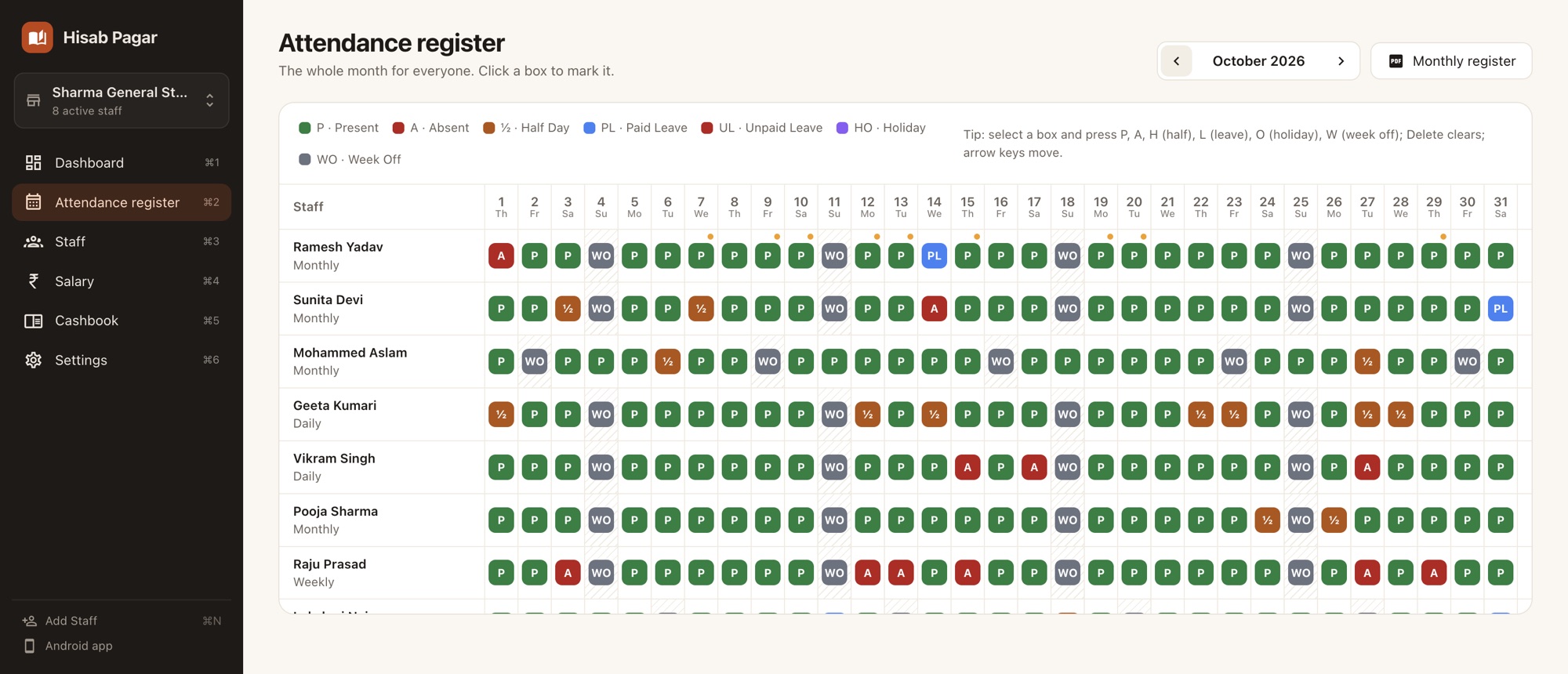
Phone or computer: what each one does
Both apps use the same salary rules and the same backup, so the numbers match.
| Feature | Android phone | Desktop (Windows, Mac, Linux) |
|---|---|---|
| Daily attendance with all seven statuses | Yes | Yes |
| Present all / Holiday for everyone | Yes | Yes |
| Month view | Calendar per person | Register grid for everyone |
| Keyboard shortcuts for marking (P, A, H, L) | — | Yes |
| Monthly, daily, weekly and hourly pay | Yes | Yes |
| Overtime, late fine, advances and payments | Yes | Yes |
| Salary slip PDF | Shared from the phone | Saved to the computer |
| Share the PDF to WhatsApp | Opens the staff member’s chat; attach the saved PDF | |
| Monthly register PDF (muster roll + salary register) | Yes | Yes |
| Cashbook with categories | Yes | Yes, plus spending by category |
| AI monthly summary (needs internet) | Yes | Yes |
| Daily attendance reminder | Yes | Yes, while the app is open |
| Backup file export and import | Yes | Yes |
| Automatic Google Drive backup | Yes | Yes |
| Pick staff from phone contacts | Yes | — (type name and number) |
| Multiple businesses, dark mode | Yes | Yes |
| 10 Indian languages | Yes | Yes* |
| Works offline, no sign-up, free | Yes | Yes |
* A few screens that exist only on the desktop app are in English and Hindi for now; in the other languages those labels show in English.
Download Hisab Pagar
Get started with Hisab Pagar
Free, works offline and needs no sign-up.
- Open Google Play
- Install Hisab Pagar
- Add your first staff member
Frequently asked questions
Is Hisab Pagar really free?
Yes. There is no subscription, no trial and nothing to unlock, on the phone or on the computer.
Does it need internet?
No. Attendance, salary, payments and the cashbook all work offline. Internet is used only when you turn on Google Drive backup, ask for the AI monthly summary, or open WhatsApp to send a slip.
How does Hisab Pagar calculate a monthly salary?
For monthly pay it divides the salary by the number of days in that month and multiplies by the paid days: present days, half days counted as half, paid leave, holidays and weekly offs. A past working day you did not mark counts as absent, and days before the joining date are not counted. Daily, weekly and hourly pay have their own rules, explained in our salary calculation guide.
Is there an iPhone app?
Not at the moment. Hisab Pagar is available for Android phones and as a desktop app for Windows, macOS and Linux.
Can I use the phone app and the desktop app together?
Yes. Each device keeps its own copy of your records; they do not sync live. Connect the same Google account and use Restore from Drive, or send a backup file from one to the other (WhatsApp or email works). Restoring replaces everything on that device, so mark attendance on one device at a time.
Where is my data stored?
On your phone or computer, not on our servers. If you turn on Google Drive backup, a copy is saved in your own Google Drive, in a private folder that only this app can see.
Can my staff see their attendance?
No. Hisab Pagar is the owner’s register. Staff receive their salary slip as a PDF when you share it with them.
Can I manage more than one shop or business?
Yes. Add another business in Settings and switch between them. Each business has its own staff, attendance, payments and cashbook.
Why does the website address say kaambook?
kaambook is the project name behind Hisab Pagar, and the Android package is com.kaambook.app. It is the same app.